What Actually Happens When Your Resume Hits an ATS
What Actually Happens When Your Resume Hits an ATS
You hit submit on a job application. The confirmation email lands in your inbox. And then... nothing. No call, no rejection, not even an automated reply. Just silence.
If this sounds familiar, there's a good chance your resume never made it in front of a human at all. It got stopped somewhere in the system. That system is called an Applicant Tracking System, or ATS, and understanding how it actually works can save you months of frustration.
What an ATS is not
There's a popular myth that an ATS is some kind of AI gatekeeper, silently reading your resume and deciding whether you're smart enough or experienced enough for the job. That's not quite right.
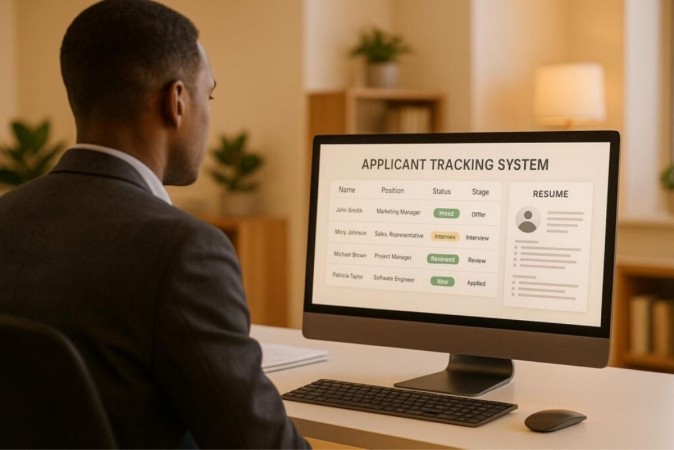
An ATS is software companies use to manage the hiring process. Think of it as a filing and sorting system for hundreds or thousands of applications. It stores resumes, lets recruiters search and filter candidates, tracks where each applicant is in the process, and in many cases, ranks or scores resumes based on how closely they match the job posting.
It's not judging your potential. It's matching text.
The journey your resume actually takes
Here's what happens step by step once you click "apply":
1. Parsing: The moment your resume is uploaded, it is broken down into structured data by the ATS. It pulls out your name, contact information, work history, education, and skills, and sorts them into fields the system understands. This is where a lot of resumes quietly fail. If your resume is built with tables, columns, text boxes, headers, or fancy graphics, the parser can misread the layout entirely. A job title might get mixed up with a company name, or a whole section might get skipped because the software couldn't figure out where it belonged.
2. Keyword matching: Once your resume is parsed into data, the ATS compares it against the job description. Recruiters typically set specific keywords, skills, and qualifications tied to the role. If the words on your resume don't closely match the words in the posting, your match score drops, even if you have the exact experience they're looking for. Saying you "led a team" doesn't help if the posting specifically asks for "team leadership" or "people management," and the system is looking for that phrase.
3. Scoring and ranking: Many systems generate a match percentage or rank you against other applicants. Recruiters often sort by this score and start reviewing from the top down. If your resume lands low on the list, it may never get opened, no matter how qualified you actually are.
4. Human review: This is the step everyone's actually trying to reach. A recruiter opens a shortlist of resumes, usually the highest scoring or most recently submitted, and starts reading. Everything before this point was about earning a spot on that list.
Why qualified people get filtered out
This is the part that frustrates job seekers the most, and understandably so. You can have the right experience and still get filtered out, not because you're unqualified, but because of formatting or wording choices that have nothing to do with your actual ability to do the job.
Some of the common reasons are:
- Formatting the parser can't read. Multi-column layouts, tables, embedded text boxes, and creative templates often confuse ATS parsers, even when they look great to a human eye.
- Missing keywords. If your resume describes your experience in your own words instead of the language used in the job posting, the system may not recognize the match.
- Non-standard section headers. Calling your experience section "Where I've Made an Impact" instead of "Work Experience" might read well to a person, but many systems are trained to look for standard labels.
- File type issues. Some systems still struggle with certain PDF formats, especially ones exported from design software rather than word processors.
- Missing basic qualifiers. If the posting requires a certification, a degree, or a specific number of years of experience, and that information isn't clearly stated, the system may screen you out automatically.
None of this is about talent. It's about whether the software can correctly read and categorize what you've written.
What this means for how you write your resume
Once you understand that an ATS is reading for structure and keywords first, and a human reads for substance second, it changes how you should approach your resume.
A few practical takeaways:
- Stick to standard, single-column formatting with clear, conventional section headers.
- Mirror the language in the job posting where it genuinely applies to your experience. If they say "project management," don't only say "managed projects."
- Avoid putting critical information in headers, footers, text boxes, or images, since these are often skipped entirely.
- Submit in the file format the employer requests, and when in doubt, use a Word document or a text-based PDF rather than a designed, image-heavy one.
- Tailor your resume for each role rather than sending out one generic version. A resume built for one specific job description will consistently outperform a one-size-fits-all version
The bigger picture
An ATS isn't your enemy, and it isn't trying to keep good candidates out. It's a tool built to help employers manage volume, and like any tool, it works best when you understand how to use it. A resume that's ATS-friendly isn't a trick or a workaround. It's simply a resume written clearly enough that both software and people can understand it.
That's really the goal either way: get your experience in front of the person who's actually hiring, in a form they can actually read.
If you'd rather not guess your way through resume formatting and keyword strategy, that's exactly what our team at TNSI helps with every day. We build resumes that are technically compliant with ATS systems and genuinely compelling to the recruiters reading them on the other end. Get in touch to see how we can help with your job search.
Other Blogs

Work Permits and Job Offers: What Comes First?

The Hidden Job Market: How to Find Jobs That Never Get Posted

The International Job Market in 2026: What Skilled Professionals Need to Know

The First 90 Days: What to Expect After You Land a Job in Canada